
01
Image and video annotation
Click the object.
The ink lays itself down.
One click segments an object, and one click follows it to the end of a clip. Around it sits the part teams actually live in: a pool of work, roles, and a queue that always knows whose turn it is.
Contact us about a setupSign in
Accounts are opened by an organization admin
One clip · 8 frames · 2 objects
- Masked
- 8 of 8
One clickIt follows the objectEvery frame saved
02
03
04
05
06
07
08
01
02
03
04
05
06
07
08
- Human work
- One click per object
- Output
- 8 annotation records
How a job moves
Five states, in the order they happen. Every screen below is a capture of the running product, not a drawing of one.
- Upload
- Pool
- Assist
- Track
- Export
01Upload
Images, or a clip that becomes frames
Drop in images, or a video and a frame rate. Every frame becomes its own sheet, carrying the clip name, the frame index and its timestamp — so a clip is a queue, not a blob.
- Takes
- Images · video
- Frame becomes
- One sheet
Import · Video
Extraction runs through ffmpeg's fps filter, so frame i sits at i / fps seconds.
Frame rate
- Clip
- demo.mp4
- Rate
- 5 fps
- Length
- 8 s · example
- Frames
- 40
- Each frame
- One sheet
The marked frame, as a sheet
- File
- demo.mp4
- Frame
- 0018
- At
- 00:03.6
- Rate
- 5 fps
Illustrative extraction · demo.mp4
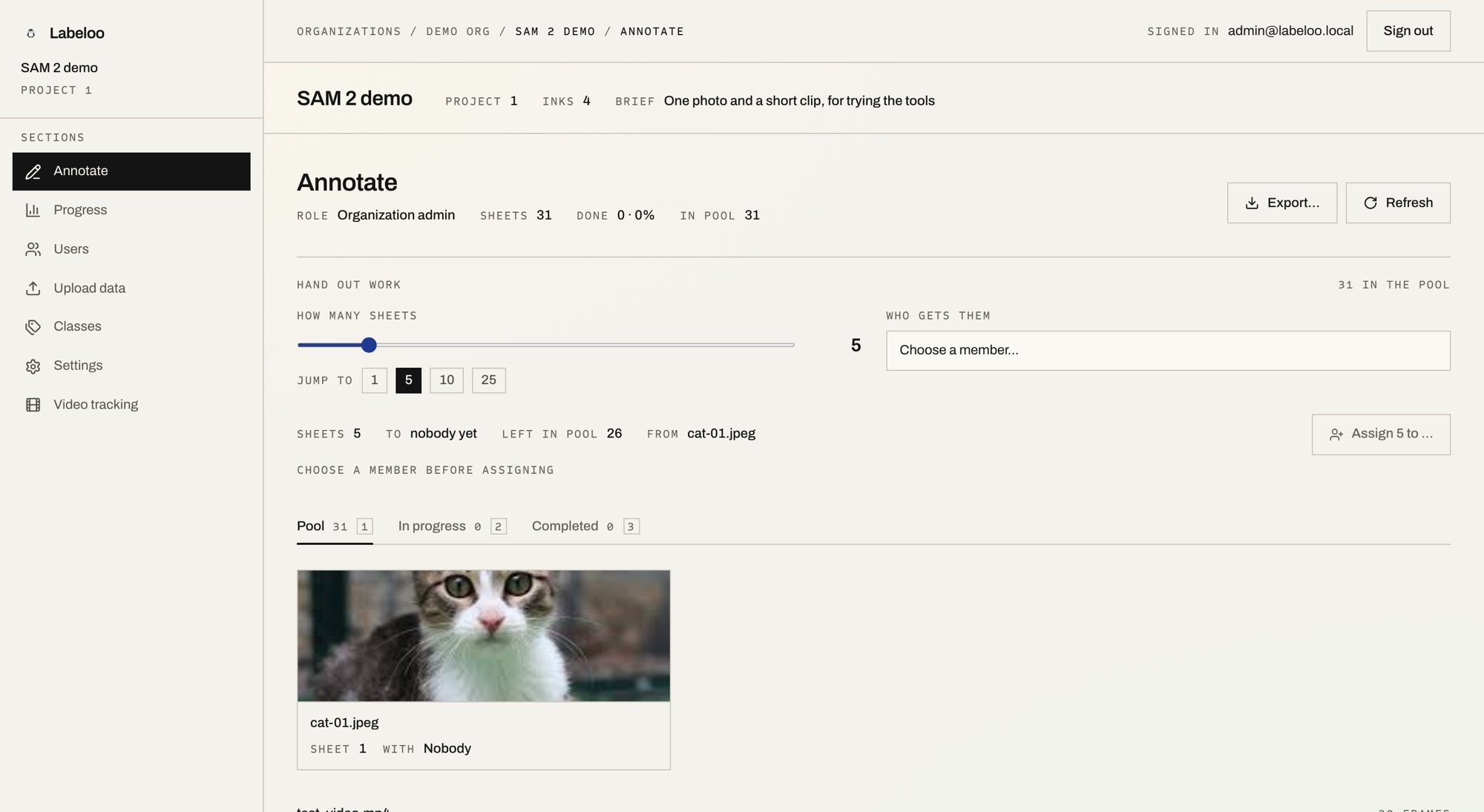
02Pool
Work handed out, not fought over
Sheets arrive in a pool. Hand out five or five hundred, to a person or to everyone, and watch them move: unassigned, annotating, completed. Organizations, projects, roles and permissions sit underneath.
- Scopes
- Org · project
- States
- Three
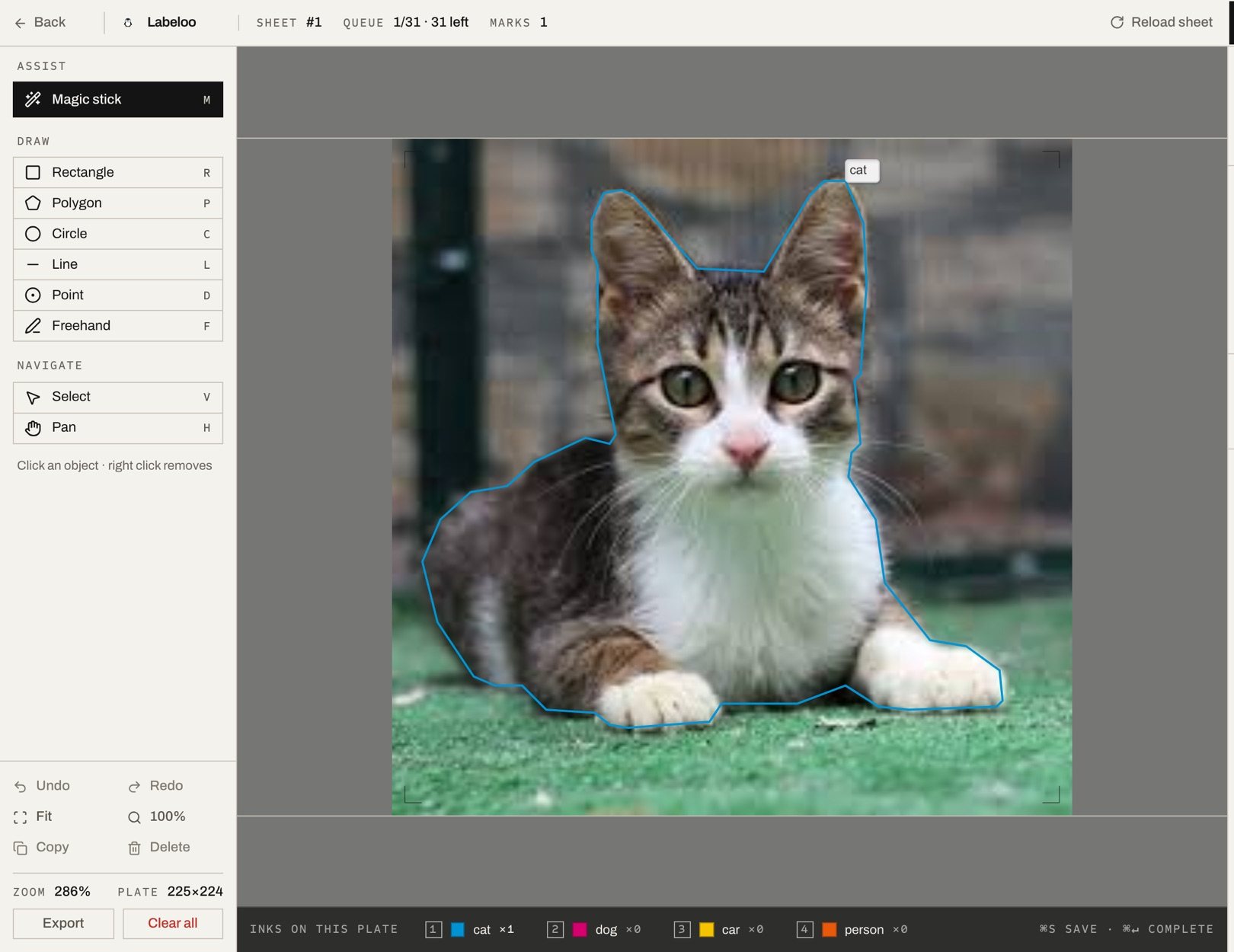
03Assist
Click the object; the ink lays itself down
One click segments the object. Right-click carves a piece back out. Give the shape a class and it prints in that class’s ink. Rectangle, polygon, circle, point, line and freehand are still there for when the model is wrong.
- One click
- ~0.1 s warm
- Fallbacks
- Six tools
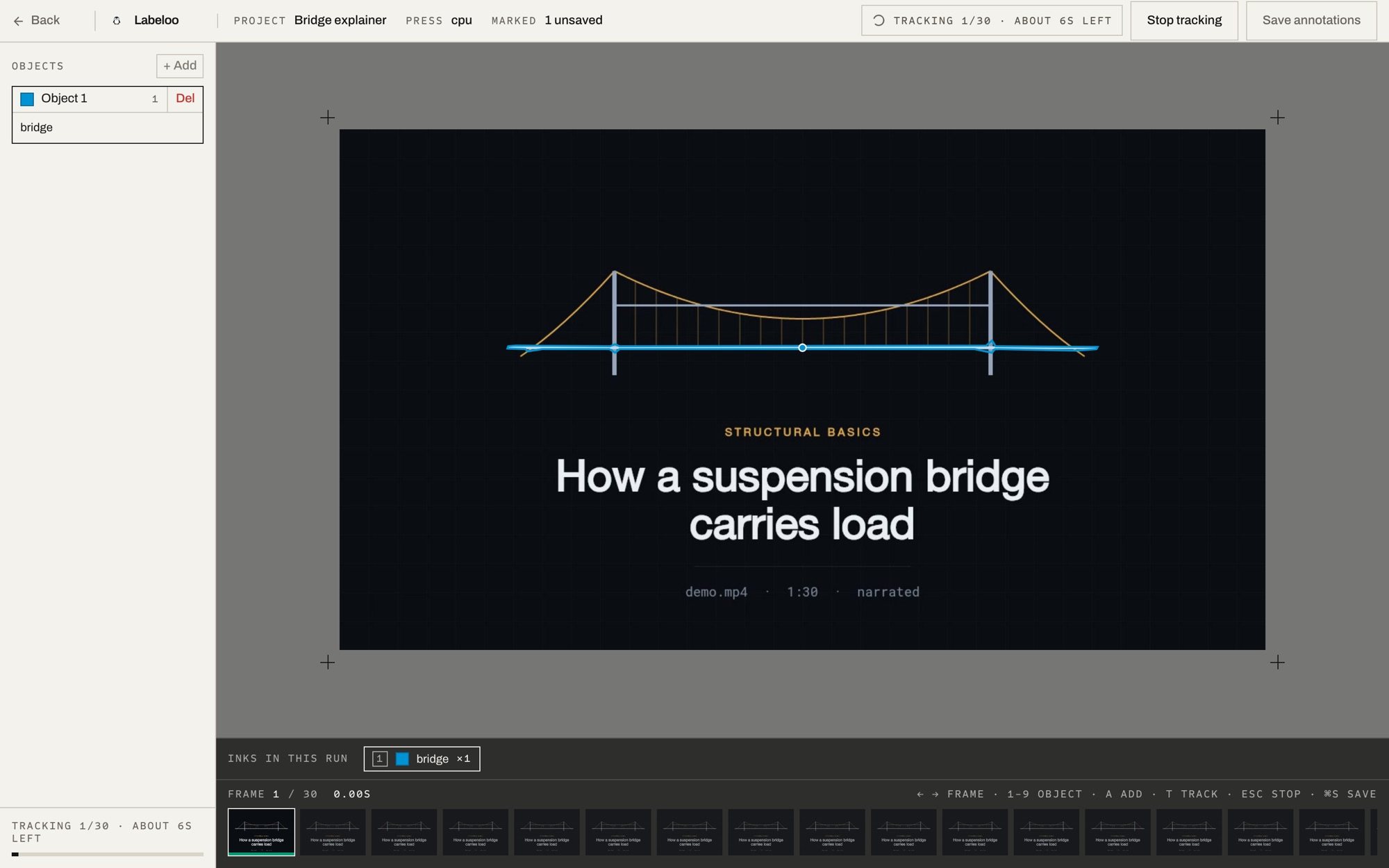
04Track
Mark it once, follow it to the end of the clip
Point at the object on any frame and press Track. Labeloo carries it through the rest, masks landing frame by frame as they are computed. Several objects at once, each in its own ink — and the wait is shown as real frames and real seconds.
- Per frame
- 1.15 s on GPU
- On a CPU
- ~3 s
05Export
The records come back out
Every mark is an annotation record attached to its task, and the export endpoint hands them back. The dataset is yours; nothing about the format is ours to keep.
- Output
- Annotation records
- Held in
- Your database
Export format
A zip carrying the images themselves, plus one label file per image: the mask as a normalised polygon, not just a box.
yolo archive
zip
- classes.txt
- data.yaml
- images/
- train · frame_0009.jpg
- val
- test
- labels/
- train · frame_0009.txt
- val
- test
train / val / test split
train
val
test
Three numbers you set. The proportions drawn above are an example, not a default.
A yolo or coco export carries only the tasks that actually hold annotations.
Teams, roles, assignment
Who may do what, and who holds which sheet
A role is set twice — once on the organization, once on the project — and each scope carries its own flags. Work arrives as a pool, and every task records who it is assigned to and how far it has got.
Where a role lives
Organization
Organization role · 8 flags
Project
Project role · 5 flags
Task
- Carries
- Assignee, status
Annotation
What a seeded role may do
| Flag | Admin | User |
|---|---|---|
| Admin | True | False |
| Edit organization | True | False |
| Delete organization | True | False |
| Edit members | True | False |
| Edit roles | True | False |
| Edit projects | True | True |
| Create projects | True | True |
| Delete projects | True | False |
| Flag | Admin | User |
|---|---|---|
| Edit project | True | False |
| Delete project | True | False |
| Edit members | True | False |
| Edit roles | True | False |
| Upload files | True | False |
TrueEmpty cell, false
How work is handed out
Sheets wait unassigned in a pool, are handed to a member, and then advance to annotating and completed inside that member's lane.
UnassignedAnnotatingCompleted
- Assigned to
- Member A
- Assigned to
- Member B
- Assigned to
- Member C
- Handed out
- In bulk, or claimed
- Bulk asks
- How many sheets, and who
- Task carries
- Assignee, status
What the model costs you in time
Tracking is not instant and the interface never pretends it is: a run shows the frames done and the seconds left. These are measurements from one machine, not a promise about yours — the model runs on a service you point the organization at, so the number moves with the hardware behind it.
- Single click, image
- ~0.1 s
- once the sheet is embedded
- Video, per frame, GPU
- 1.15 s
- Apple GPU, sam2.1 small
- Video, per frame, CPU
- ~3 s
- the same run without a GPU
Put it on your own data
Labeloo runs on your own machines, with the segmentation service addressed per organization — so the model can sit on a laptop today and a GPU box tomorrow without touching the app. Tell us what you are labelling and we will get you set up.
Contact us about a setupSign in
Try it with a demo account
- demo@labeloo.app
- Password
- LabelooDemo2026
- Signs in as
- Member, with six sheets waiting